
01 · Software · For EV drivers
One app for every charge, on the road and at home.
Find chargers across 20+ networks, plug in and go with Auto Charge, and pay the way you already do.

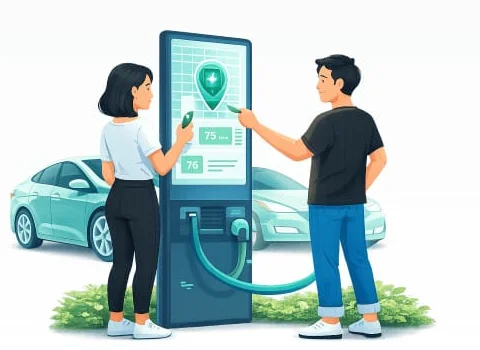
Add money
Point your camera at the QR on the charger
02 · How it works
Find. Top up. Start. Track. Pay.
STEP 01
Find
See nearby chargers with live availability, connector type and power.
STEP 02
Top up
Add money to your wallet by UPI, card or net banking.
STEP 03
Start
Scan the QR, pick the charger in the app, or plug in with Auto Charge.
STEP 04
Track
Follow power, energy, time, cost and battery % live.
STEP 05
Pay
The session cost is deducted from your wallet. Invoice saved.
03 · Auto Charge
Plug in. That's it.
Charging starts the moment you connect. No QR to scan, no button to tap. Built for the charge you do every day.
→ Turn it on once: tap Yes when the app asks
→ Plug in at a supported charger and walk away
→ Prefer a card? Tap RFID to start or stop
04 · Public Charging
Charge anywhere you drive.
Highways, malls and city hubs across 20+ networks, all in one app.
→ Live availability on the map
→ Start by QR or straight from the app
→ Pay by UPI, card or wallet
→ An invoice for every session
05 · Residential, Community & Workplace Charging
Charge where you live and work.
Your apartment, IT park, campus or fleet depot, on the same app.
→ See only your community's chargers, for members only
→ Plug in with Auto Charge or tap RFID
→ Pay from your community wallet
→ Every rupee tracked transparently
06 · Features
Everything in one place.
FIND
Nearby charger map
Public and members-only chargers on one map.
Real-time availability
Status, connectors, power and supported vehicles.
20+ network access
Partner networks through OCPI roaming.
CHARGE
Many ways to start
QR code, charger selection or remote start.
Auto Charge & RFID
Plug in, or tap a card.
Live monitoring
Power, energy, time, cost and battery %.
PAY
UPI, cards, net banking
Use the payment method you already have.
Digital wallet
Add money, pay and review transactions.
Invoices
An invoice for every session.
MANAGE
Vehicle management
Your EVs, numbers, connectors and preferences.
Session history
Active, completed, failed and cancelled.
Call support
Call our support team from the app, or raise a request.
07 · Four ways to charge
Four ways to charge. No app needed for three.
Every Plugzmart charger also works without the app, for quick stops and visitors.
| Feature | You're hereMobile App | Appless Charging | WhatsApp ChargeLearn more → | UPI ChargeLearn more → |
|---|---|---|---|---|
| Install needed | Yes | No | No | No |
| Login | Mobile number / OTP | Mobile number / OTP | Mobile number / OTP | None needed |
| Charger map | Yes | Yes | No | No |
| Live session | Yes | Yes | Yes, by link | No |
| Session history | Yes | Yes | Yes, in the app | No |
| Best for | Daily charging | Full features, no install | Charging from a chat | The fastest single charge |
08 · FAQ
Good to know.
Which chargers can I use?
Plugzmart-network chargers, chargers on 20+ partner networks, and your community's members-only chargers.
Which payment methods can I use to top up my wallet?
UPI, cards and net banking.
What if a session fails?
Try starting it again. If the issue continues, call our customer support team. You'll find the number in the app.
Can I add more than one vehicle?
Yes. Add every EV with its number, connector type and preferences.
Your next charge is one tap away.
Scan to download on your phone.